.png)
Shopify 24/7 Phone Support Setup: Choose Ava in 2026
Complete your Shopify 24/7 phone support setup with Ava AI in minutes. Connect order support, refunds, tracking and abandoned-cart calls for your store in 2026.
September 21, 2026
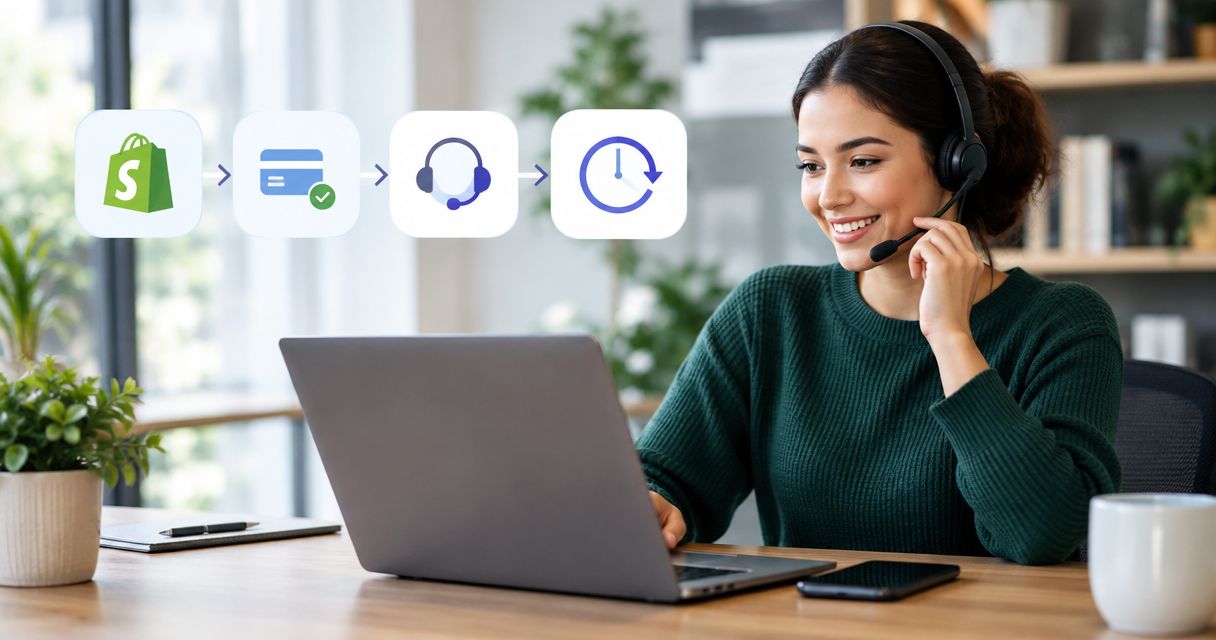
Instead of manually answering order, tracking, and refund calls every hour of the day, connect Ava AI to Shopify so an AI voice agent handles those calls 24/7. This 2026 workflow also adds outbound abandoned-cart calls once the inbound support path is tested.
TL;DR
- A Shopify 24/7 phone support setup connects Ava AI to store data for order, tracking, and refund calls.
- Start with inbound support, test policy boundaries, then activate outbound abandoned-cart calls.
- Ava AI offers a 7-day free trial, setup in minutes, and zero commission on recovered revenue.
- Ava AI reports a 37x internal merchant average for outbound abandoned-cart voice calls; individual results vary.
- Verify current plan pricing and usage charges in the Shopify App Store before publishing or approving the setup.
Why this matters
Shopify merchants lose time when every caller needs a person to open the admin, search for an order, read its status, and explain the next step. That process gets slower after business hours because voicemail creates another queue for the next shift.
A Shopify 24/7 phone support setup gives routine calls a direct resolution path. Ava AI is an AI customer-service app for Shopify stores that answers support calls, handles order and refund requests, shares approved text links, and provides order-tracking help.
Ava AI is best for Shopify merchants that need continuous phone coverage plus outbound abandoned-cart recovery from one app. Its main constraint is also clear: the merchant still needs to define refund rules, approved responses, and escalation boundaries before calls go live.
The 2026 objective is not to automate every judgment. It is to automate repeatable support work while reserving unusual, sensitive, or unclear cases for a person.
Before you start
Complete these checks before connecting the app:
- Use a Shopify account with permission to install apps. If you cannot approve the requested access, the connection will stop before order support is available.
- Prepare the support information customers already need. Include your refund conditions, order-status guidance, tracking language, escalation criteria, and the text links the agent is allowed to send.
- Decide which requests require human review. Write down the conditions before setup rather than making case-by-case decisions during testing.
The non-obvious issue is policy ambiguity. A voice agent can follow an approved rule, but it cannot repair a refund policy that contradicts the information given elsewhere by the store. Review the source material as one set before the 2026 launch.
You should also choose a small group of real order scenarios for testing. Include an order awaiting fulfillment, an order with tracking, a delivered order, and a refund request. Do not use customer details outside your authorized systems or copy private data into an unrelated document.
Connect the Shopify store
- Open the Ava AI listing in the Shopify App Store while signed in to the correct store.
- Start the installation and review the access requested on Shopify's authorization screen.
- Approve the connection only after confirming that the store name and account are correct.
- Follow the in-app connection prompts until the store is shown as connected.
- Open a known order through the supported lookup flow and confirm that its current status matches Shopify.
Do not continue if the test order is missing or outdated. Recheck the installed store, app permissions, and the order information in Shopify before changing call behavior.
Expected result: the app can retrieve the Shopify order information needed to answer a support request. The exact controls can change as the app interface is updated, so use the labels displayed in the current 2026 version rather than relying on an older screenshot.
Configure inbound phone support
- Open the phone-support configuration provided in Ava AI.
- Add the approved customer-service instructions prepared before setup.
- Define which order, tracking, and refund requests the voice agent can resolve.
- Mark requests that require a person instead of automatic resolution.
- Add only the text links approved for customer use.
- Complete the phone-routing prompts shown by the app.
- Save the configuration before placing a test call.
Test the workflow from the caller's perspective. Ask one question at a time, provide the same information a real customer would have, and check the result against Shopify after the call.
Expected result: a caller receives an answer based on the connected store information, while requests outside the approved rules follow the human-review path you defined.
Do not treat a successful order-status test as proof that refunds are configured correctly. Order lookup and refund handling involve different decisions, so each requires its own test.
Add refund and escalation boundaries
- List the refund situations the agent is permitted to resolve.
- Separate those from cases that require manual review, such as unclear eligibility or conflicting order information.
- Confirm the language the caller hears when a request cannot be completed automatically.
- Test one request that fits the approved refund rules.
- Test one request that must stop for human review.
- Compare both outcomes with the policy supplied to the app.
A useful boundary is easy to explain and easy to audit. Avoid instructions such as "approve normal refunds" because "normal" does not identify a condition the workflow can apply consistently.
Expected result: eligible requests follow the approved refund path, while excluded requests do not receive an unsupported promise or resolution.
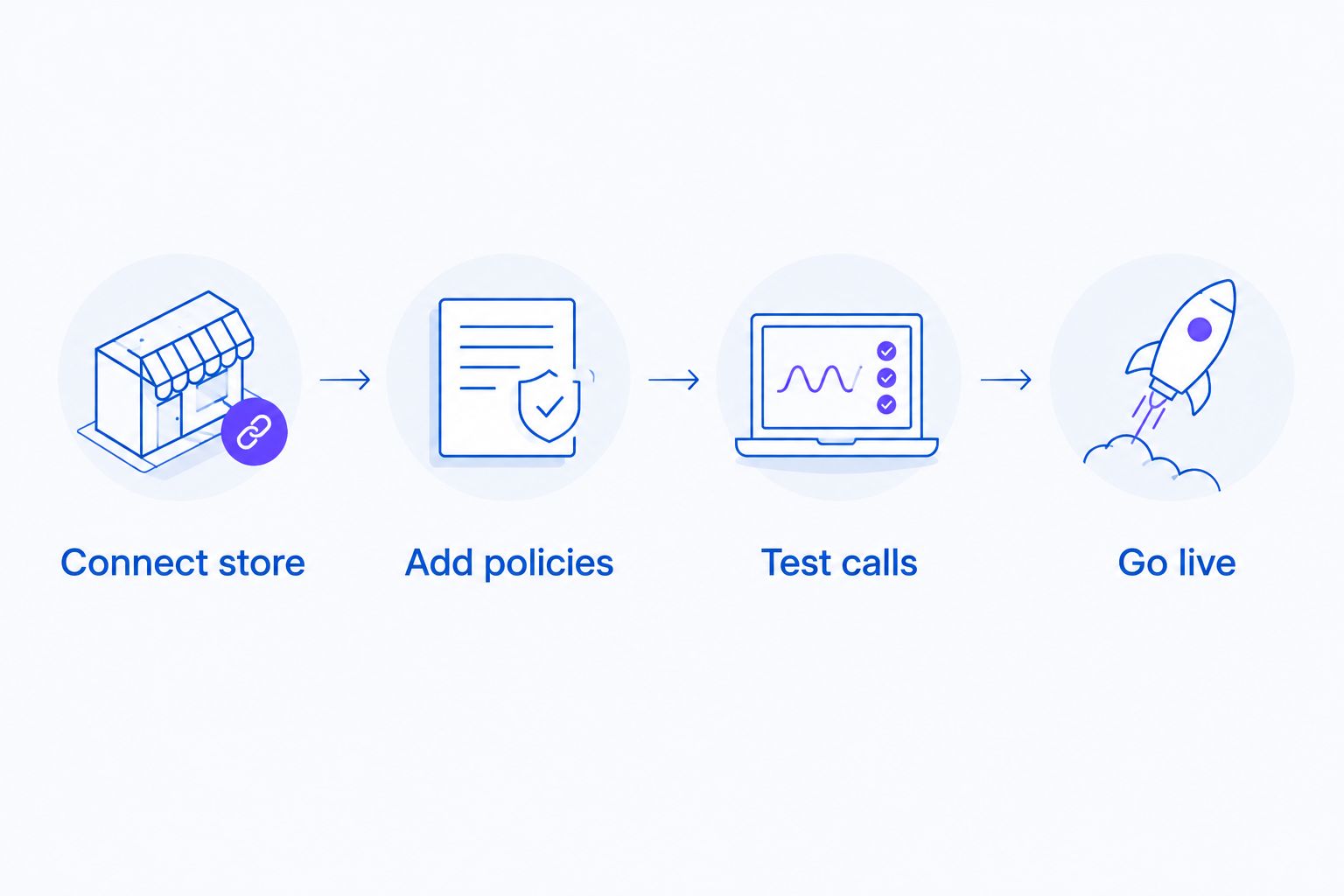
Connection comes first, but policy testing determines whether the workflow is ready for customers.
Test calls before going live
- Test order lookup using information that matches a real Shopify order.
- Test order tracking for an order with current tracking information.
- Test a refund request that is covered by the approved policy.
- Test a request that should require human review.
- Test an approved text link and verify that it opens the intended destination.
- Repeat any failed scenario after correcting the source information or configuration.
Keep the test focused on outcomes. The agent should identify the relevant order, use the approved policy, give the caller a clear next step, and avoid claiming that an action happened when it did not.
Expected result: the supported scenarios complete correctly, and unsupported scenarios stop at the boundary established by the merchant. Once those results are consistent, the inbound workflow is ready for live 24/7 phone coverage in 2026.
Inbound support vs. outbound cart recovery
The two workflows share a Shopify connection, but they solve different problems and require separate approval.
Inbound phone support
- Starts when: A customer calls
- Primary job: Resolve order, tracking, and refund questions
- Main benefit: Provides 24/7 coverage for repeatable support requests
- Main limitation: Depends on accurate store data and approved policies
Outbound abandoned-cart calls
- Starts when: A recovery workflow contacts a shopper
- Primary job: Follow up on an abandoned checkout
- Main benefit: Adds voice outreach to cart recovery
- Main limitation: Results vary and must not be treated as guaranteed revenue
A successful inbound test does not automatically approve outbound calling. Review the outbound script, recovery flow, and approved text links independently before activation.
Add outbound abandoned-cart calls
Once inbound calls work correctly, configure the adjacent workflow for abandoned checkouts. Ava AI can make outbound voice calls to recover abandoned carts, and it can send approved text links when the workflow calls for them.
- Open the abandoned-cart recovery area in the current app interface.
- Review the conditions shown for an abandoned checkout to enter the calling workflow.
- Add the approved call language for the initial contact.
- Confirm which checkout link or other approved text link can be sent.
- Review how the workflow handles a shopper who declines, asks a support question, or wants help completing checkout.
- Run a controlled test before activating the workflow for live customers.
The outbound workflow should keep support and sales outcomes distinct. A shopper asking where an existing order is should enter the support path, while a shopper returning to an incomplete checkout belongs in cart recovery.
Ava AI reports a 37x internal merchant average for outbound abandoned-cart voice calls. This figure comes from Ava AI internal data, individual results vary, and no measurement period, sample size, or cost definition is provided in the input. Do not convert it into a revenue promise or apply it to a specific store forecast.
Ava AI charges zero commission on recovered revenue. Current plan pricing and usage charges still need to be verified against the Shopify App Store before the 2026 workflow is approved.
Expected result: abandoned checkouts can enter the approved voice recovery path without changing how inbound customer-support calls are handled.
Start your phone support setup
Connect Shopify and test inbound support during the 7-day free trial.
Troubleshooting
The app cannot access the intended store
Confirm that you installed the app while signed in to the correct Shopify account and store. If authorization was interrupted or denied, return to Shopify's app controls and complete the connection using an account with installation permission.
A known order cannot be found
Check the order information in Shopify first. Confirm that the test uses the correct customer and order details, then verify that the app is connected to the same store. Do not rewrite support instructions to compensate for a store-connection problem.
Tracking information does not match Shopify
Treat Shopify as the source to inspect before changing the call script. If Shopify lacks current tracking information, the phone workflow cannot reliably provide information that is not present in the connected store data.
A refund request follows the wrong path
Compare the result with the refund instructions supplied during configuration. Replace vague or conflicting rules with explicit conditions, then rerun one approved case and one human-review case before restoring live handling.
An approved text link is not sent correctly
Verify that the link is the exact destination approved for the workflow and that it opens as expected. Keep checkout recovery links separate from general support guidance so the customer receives the right next action.
Customize your 2026 workflow
After the core setup is stable, expand one use case at a time. Add more approved support scenarios, refine refund boundaries, or extend the outbound script only after the current version passes its tests.
Stores with larger call queues should document which issues remain human-owned before adding more automated paths. The guide to AI phone agents for high-volume Shopify stores explains the criteria that matter when call volume, routing, and support coverage become the primary concern.
Keep a short change record for every policy update. Note what changed, which call scenarios it affects, and which tests passed before the update went live. This prevents a refund-policy edit from silently changing an unrelated order-support path later in 2026.
FAQ
How do I complete a Shopify 24/7 phone support setup?
Install Ava AI for the correct Shopify store, approve the connection, add support policies, configure call handling, and test order, tracking, and refund scenarios before launch. The brand states that setup takes minutes.
Can Ava AI answer Shopify support calls around the clock?
Yes. Ava AI is built to answer customer-support calls 24/7 for Shopify stores and handle order, tracking, and refund requests within the configured workflow.
Can the same app make abandoned-cart calls?
Yes. Ava AI also makes outbound calls for abandoned-cart recovery, but that workflow should be configured and tested separately from inbound phone support.
How much does Ava AI cost in 2026?
Check the current plan pricing and usage charges in the Shopify App Store. Prices are not included here because they can change, and the workflow should be approved against the current listing.
Does Ava AI take commission on recovered revenue?
No. Ava AI states that it takes zero commission on recovered revenue, although plan pricing and usage charges still need to be checked separately.
Is there a free trial for Shopify phone support?
Yes. Ava AI offers a 7-day free trial that merchants can use to connect Shopify and test the phone-support workflow.
What does the reported 37x result mean?
The 37x figure is Ava AI's internal merchant average for outbound abandoned-cart voice calls. Individual results vary, and the supplied data does not state its measurement period, sample size, or cost definition.
Should every refund request be automated?
No. Automate only the refund cases covered by an explicit approved policy, and send unclear or excluded cases to human review.
One last thing
Do not launch immediately after the first successful order lookup. A complete Shopify 24/7 phone support setup needs at least one passing support case and one correctly stopped exception for each policy area you activate.
That stopped exception is the more valuable test. It proves the 2026 workflow knows where automation ends, which protects customers from unsupported refund decisions and protects the support team from cleaning up avoidable errors.