What phone number do customers see when an AI agent calls?
Your AI agent caller ID phone number depends on your calling setup. Learn what customers see, how callbacks work, and what to test before launch.
November 17, 2026
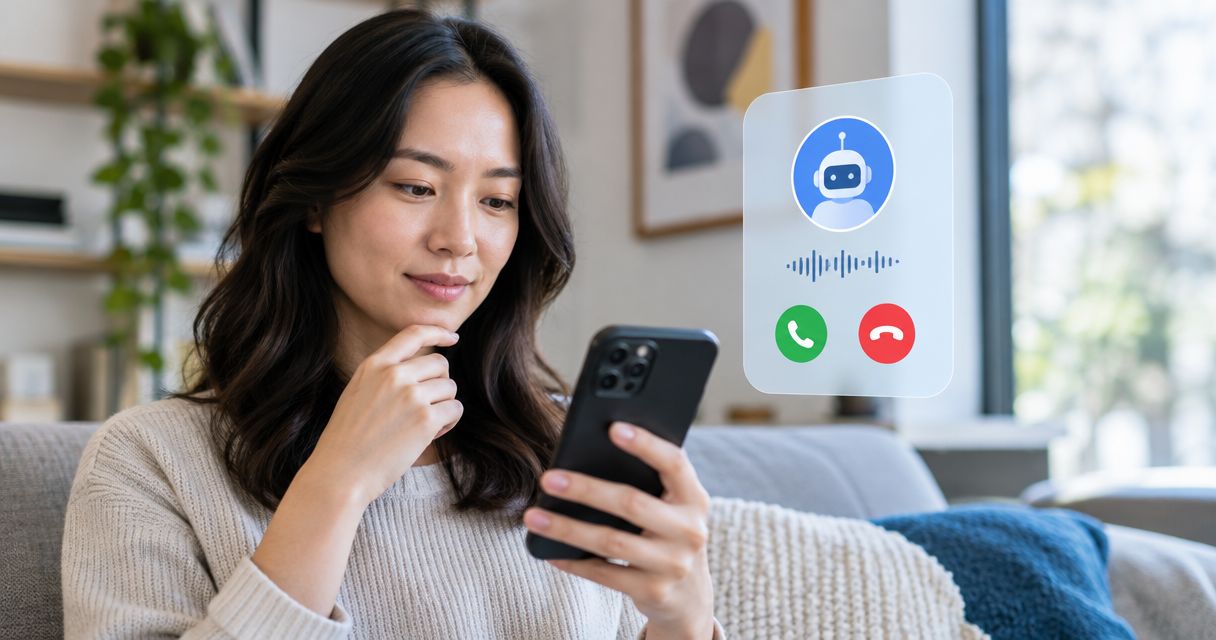
Customers generally see the outbound phone number configured for the AI calling service, not a special number that identifies the caller as AI. Depending on your provider and setup, that can be an authorized existing business number or a number assigned to your account. The displayed business name, spam warning, and callback destination are separate details you must verify before calling customers.
TL;DR
- Your AI agent caller ID phone number depends on the outbound calling configuration, not the agent’s voice.
- A displayed business name is separate from the phone number and is not guaranteed across receiving networks.
- Test the incoming display, missed-call record, and callback route before launching Shopify cart recovery calls.
- Avasales offers Shopify merchants a 7-day free trial, setup in minutes, and zero commission on recovered revenue.
What phone number do customers see when an AI agent calls?
Customers see the caller ID delivered with the outbound call, subject to how their carrier and phone display it. An AI agent does not automatically call from your published store number simply because it connects to Shopify.
For Shopify merchants evaluating Avasales, confirm the outbound number and callback routing during setup. Treat those as specific configuration questions, separate from the app’s support and abandoned-cart calling functions.
Existing business number, where supported and authorized
- Best for: Stores maintaining an established contact number
- Main benefit: Keeps the outbound identity consistent with a published number
- Limitation to check: Requires provider support and authorization; inbound routing needs separate confirmation
Newly assigned business number
- Best for: Stores creating a dedicated calling channel
- Main benefit: Separates the new calling workflow from an existing phone setup
- Limitation to check: Customers will not necessarily recognize the number
Separate numbers for different workflows
- Best for: Stores separating support from outbound recovery
- Main benefit: Makes each calling purpose easier to organize
- Limitation to check: Creates additional callback routes and numbers to maintain
These are general configuration options, not a statement that every service supports each arrangement. Choose a number your business is authorized to use, then verify what the customer actually receives.
Why this matters
A Shopify customer receiving a cart-recovery call has not necessarily saved your store’s phone number. The number on the screen is part of the experience before the agent speaks, but it does not explain the call’s purpose by itself.
Your opening message and callback route must support that identity. A recognizable number does little good if a customer returns the call and reaches an unrelated greeting or an unattended destination.
For a 2026 launch, make caller ID testing part of acceptance testing. A successful connection alone does not establish that the number, business name, or return-call experience is correct.
Existing business number: confirm outbound authorization
Using your existing business number requires more than entering it into a settings field. Your calling provider must support the arrangement and establish that you are authorized to use the number.
Ask whether the setup requires verification, porting, or another supported connection method. Do not assume these methods are interchangeable: moving a number between providers and authorizing its use for outbound calls are different arrangements.
Best for: stores that want continuity with an established customer-facing number. The benefit is consistency; the trade-off is that you must understand what happens to your current inbound service before changing anything.
Get written confirmation of the outbound number and inbound destination. Keep your existing phone service unchanged until you understand the migration or connection requirements.
New business number: establish a callback destination
A newly assigned number gives your calling workflow its own identity. It also introduces a number that customers might not associate with your store.
Confirm whether the assigned number accepts incoming calls and where those calls go. An outbound caller ID and a working inbound support line are not automatically the same service.
Best for: stores creating a separate phone channel for automated calling. The benefit is operational separation; the limitation is the need to introduce and maintain another customer-facing contact point.
Before publishing the number anywhere, call it from an outside phone. Check the greeting, the available support path, and what happens when the intended recipient is unavailable.
Why the displayed caller ID varies
The outbound number is only part of what appears on a receiving phone. Caller ID presentation depends on several distinct elements:
- Outbound configuration: The calling service selects the authorized number presented with the call.
- Receiving carrier: The customer’s network processes caller information and applies its own calling protections.
- Saved contacts: A customer’s address book can show a saved name rather than a network-supplied business name.
- Caller-name services: Business-name information is separate from the number and is not displayed uniformly.
- Spam filtering: Carrier tools and call-screening apps can label, silence, or block calls.
- Device settings: The customer’s phone and installed calling apps affect the incoming-call screen.
This is why a screenshot from your own phone is not enough to validate the entire customer experience. A saved contact can make a test look correct while hiding what an unfamiliar recipient sees.
For your 2026 checks, use receiving phones that do not already have the business number saved. Record differences rather than assuming every customer will see an identical screen.
How to test your AI agent caller ID phone number
Run the test from the actual outbound workflow you intend to launch. A manual call from an employee’s phone does not validate the AI service’s configuration.
1. Confirm the number
Ask the provider to identify the exact outbound number for the workflow. Document whether support callbacks and abandoned-cart calls use the same number or different numbers.
Also confirm who controls the number and what happens to it if you change services. Number continuity is a purchasing question, not something to discover after customers start saving it.
2. Check the display
Place 3 test calls to consenting recipients on different receiving networks. This is a practical starting checklist, not a guarantee of identical presentation across every carrier and device.
Record the number, displayed name, and any warning shown on each phone. Use unsaved numbers for the initial test, then compare the experience with a saved contact if that matters to your support workflow.
3. Inspect missed calls
Let a test call go unanswered and inspect the recent-call entry. Check whether the recipient can identify a usable return number without answering the original call.
If your workflow includes voicemail, test that separately. The number shown in call history and the message left by the agent must not give customers conflicting instructions.
4. Test callbacks
Return the call from the receiving phone. Confirm that the number reaches the intended business destination and that the greeting identifies the store accurately.
Test the route outside your staffed hours as well. A callback path that works only while someone watches the test is not ready for unattended customer use.
5. Record results
Keep the workflow name, outbound number, receiving network, displayed identity, and callback outcome together. Save screenshots without exposing customer information.
Repeat the checks after changes to phone providers, number assignments, or routing. Use the 2026 test record as your baseline rather than relying on someone’s memory of the original setup.
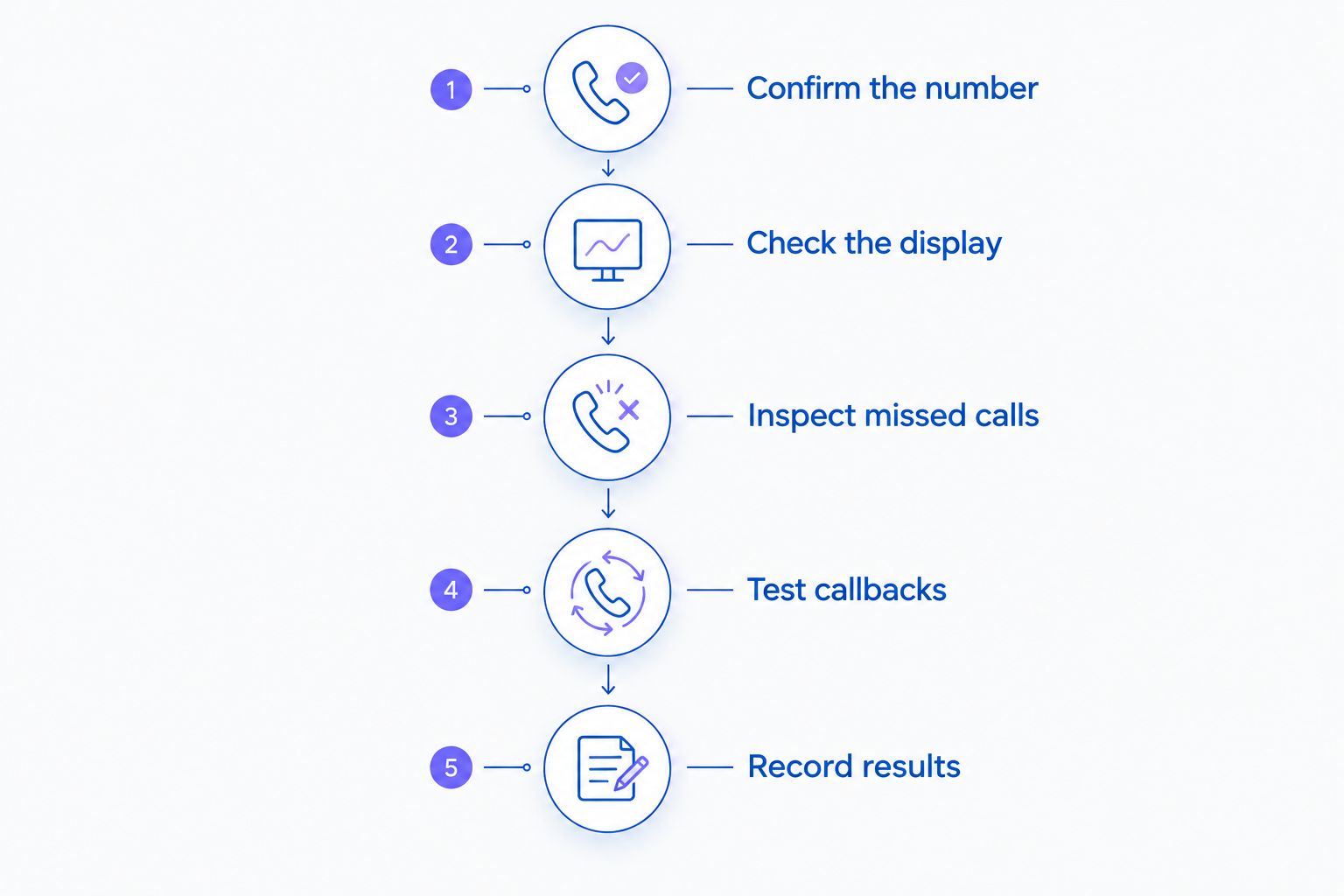
Validate both the incoming display and the return-call experience before launch.
What should Shopify merchants confirm before starting?
Start with the customer journey you need, then ask whether the service supports it. A store handling order questions has different routing needs from a store making outbound cart-recovery calls.
Avasales is best suited to Shopify merchants seeking AI phone support and outbound abandoned-cart recovery in one app. Its stated functions include answering support calls 24/7, resolving orders and refunds, and making outbound recovery calls. Those functions do not, by themselves, establish a particular caller ID arrangement.
The benefit is a Shopify-focused calling application. The setup constraint is that you must confirm the outbound number, displayed identity, and callback behavior for your account rather than treating them as guaranteed features.
Use these questions when you contact the team:
- Which exact number will customers see for this workflow?
- Can the service use an existing number I am authorized to use?
- Will changing the setup affect my current incoming calls?
- What happens when a customer calls the displayed number back?
- What is required to request or correct a business-name display?
- How are caller ID issues investigated after launch?
Avasales offers a 7-day free trial, setup in minutes, and zero commission on recovered revenue. Use the trial to validate the calling experience; a fast installation does not replace a completed caller ID test.
Check your calling setup
Confirm the outbound number, callback destination, and caller ID requirements before launching customer calls.
Will customers see my store name instead of a number?
A store name is not guaranteed to replace the phone number on every receiving phone. A saved contact, caller-name service, or supported branded-calling feature can affect the displayed name.
Ask exactly which naming mechanism your provider supports. Then test phones without your number saved, because an address-book entry does not prove that other customers will see your business name.
Can customers tell it is an AI call from caller ID?
Caller ID alone does not reliably tell customers whether a human or AI agent is speaking. The number identifies the calling line; it does not explain how the conversation is generated.
Use a clear opening that identifies your business and the reason for the call. Address AI disclosure and calling consent separately, with requirements checked for the relevant jurisdiction and use case.
Does a verified caller ID prevent spam labels?
Verified authorization to use a number does not guarantee freedom from spam labels. Caller authentication and spam classification perform different jobs.
For your 2026 rollout, keep the provider’s process for investigating incorrect labels alongside your test records. Do not accept a promise of universal display or guaranteed answer rates as a substitute for checking actual calls.
FAQ
What phone number will customers see when my AI agent calls?
Customers generally see the outbound number configured for the calling service, subject to receiving-network and device presentation. Confirm the exact number for each workflow and test it from an outside phone.
Can my AI agent call from my existing store phone number?
An existing store number is an option only when the provider supports the arrangement and you are authorized to use it. Confirm the connection method and any effect on your current inbound service before making changes.
Will my Shopify store name appear on every customer’s phone?
Your Shopify store name is not guaranteed to appear on every customer’s phone. Saved contacts, caller-name services, receiving carriers, and device settings affect what the recipient sees.
Can a customer call the AI agent’s number back?
A customer can reach your business through that number only if incoming calls are supported and routed correctly. Test the displayed number directly instead of assuming outbound calling includes inbound support.
Does caller ID tell customers that the caller is AI?
Caller ID alone does not reliably identify an AI caller. Use an appropriate spoken introduction and check the disclosure requirements that apply to the call.
Will using my business number stop calls being marked as spam?
Using an authorized business number does not guarantee that calls avoid spam labels. Receiving networks and filtering services make separate classification decisions.
What should I test during the Avasales free trial?
Use the 7-day free trial to check the outbound number, incoming-call display, missed-call entry, and callback destination. Test the actual Shopify calling workflow rather than a separate employee phone.
One last thing
Call the displayed number back before approving the launch. It is an easy check to miss when everyone is focused on how natural the agent sounds.
A customer who misses a recovery call needs a coherent next step. Make a working, clearly identified return-call route part of your 2026 launch criteria, alongside the outbound display.