.png)
Automated Call Abandoned Cart Shopify: Best Setup 2026
Set up an automated call abandoned cart Shopify workflow with Ava AI. Connect triggers, approve text links, test calls, and prevent duplicate outreach.
September 22, 2026

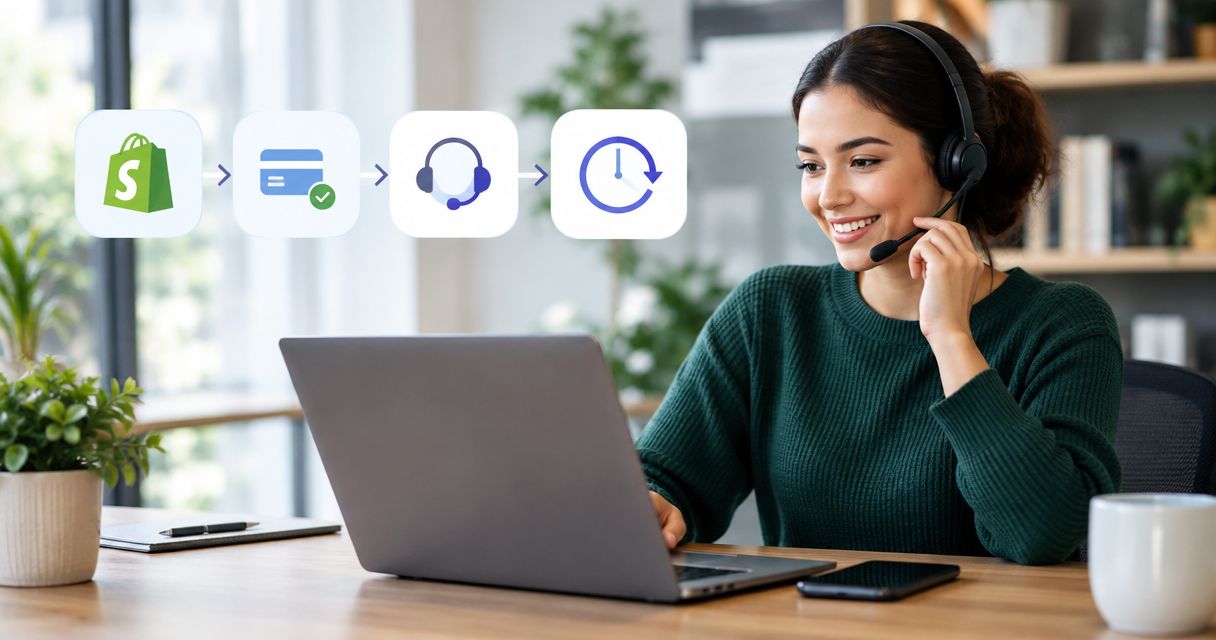
Manually calling every shopper who leaves a Shopify checkout is slow and inconsistent. Instead, connect the Ava AI voice agent app to Shopify in 2026 so eligible abandoned carts trigger an outbound call automatically; the offer includes a 7-day free trial, setup in minutes, and zero commission on recovered revenue.
TL;DR
- An automated call abandoned cart Shopify workflow contacts eligible shoppers after checkout abandonment without manual dialing.
- Ava AI can discuss the abandoned checkout and send an approved text link that returns the shopper to checkout.
- Ava AI internal merchant data reports a 37x average for outbound abandoned-cart voice calls; individual results vary.
- Use either a Shopify checkout event or a Klaviyo flow event as the trigger, but not both for the same shopper.
- Test consent rules, checkout context, text links, and duplicate prevention before activating the workflow.
Why this matters
An abandoned-cart email cannot answer a shipping question, explain a payment problem, or send a requested checkout link during a live conversation. An automated voice call gives the shopper a direct path back to checkout while removing manual dialing from your team’s workload.
Ava AI is best for Shopify store owners who want automated abandoned-cart calls and 24/7 phone support in one app. Its strength is the ability to handle outbound recovery calls alongside order, refund, and support conversations. Its constraint is that the workflow depends on accurate checkout data, valid phone details, and contact permissions configured by the merchant.
In 2026, the setup should have one clear trigger, one approved call path, and one rule for stopping outreach after a shopper completes an order. More automation does not fix conflicting triggers or incomplete customer data.
Before you start
- Get Shopify admin access with permission to install and configure apps.
- Start an Ava AI account and confirm the current plan and usage terms through its Shopify App Store listing before publishing the workflow.
- Document the approved opening language, the checkout link the agent can send, and the questions the agent is allowed to answer.
- Confirm that the phone contact permissions collected by your store cover the calls you plan to make. Requirements depend on where your business and customers are located.
The non-obvious gotcha is duplicate triggering. If Shopify and Klaviyo both send the same abandoned-checkout event, one shopper can enter two call workflows. Choose one trigger source in 2026 and disable the competing path before launch.
Connect Shopify
- Sign in to Shopify with an account that can manage apps.
- Open Settings, then Apps and sales channels.
- Open the Shopify App Store and select Install for the Ava AI app.
- Review the requested access before approving the connection. The workflow needs the checkout and customer details required to identify an eligible abandonment and place the relevant call.
- Complete the connection inside the app, then create a test checkout using a phone number you control.
Do not activate customer calls yet. The first goal is to confirm that the integration receives the checkout context needed for a controlled test.
Expected result: the test checkout becomes available to the connected workflow with the correct phone number and cart context. If those details are missing, fix the Shopify connection or checkout fields before configuring the call.
Define trigger
- Create an outbound workflow for abandoned checkout recovery.
- Select the Shopify abandoned-checkout event as the source. If Klaviyo will control eligibility, skip the native event and use the Klaviyo variant later in this guide.
- Set the waiting period between the qualifying event and the call. Base this on your existing recovery sequence rather than adding a second message at the same moment.
- Add any eligibility conditions your team uses, such as contact permission, customer location, or cart qualification rules. Only use conditions supported by data already present in Shopify or the selected trigger system.
- Add a stop condition for completed orders so a shopper who returns independently does not receive a recovery call afterward.
- Keep the workflow in its test or inactive state until the call script and approved text link have been checked.
Expected result: one eligible test checkout enters the workflow once, while completed or ineligible checkouts remain outside it. This is the core control for an automated call abandoned cart Shopify setup in 2026.
Configure call
- Write a short opening that identifies the store and explains that the call concerns an unfinished checkout. Do not make the shopper guess why the store is calling.
- Define the checkout context available to the voice agent. Include only the information required to discuss the abandoned order and help the shopper continue.
- Configure an approved text link that returns the shopper to the relevant checkout. Use the link supplied by the connected workflow rather than typing or guessing a destination.
- Set clear response boundaries. Document which checkout, shipping, order, and payment questions the agent can answer and which requests need another support path.
- Decide what happens when nobody answers. Keep the no-answer path consistent with the contact permissions and messaging rules your store follows.
- Add a stop instruction for shoppers who decline further contact or state that they no longer want the order.
A short script is easier to test than a script that attempts to cover every possible support question. The call should establish context, identify the blocker, and provide the approved next step.
Expected result: the test call states the correct store context, handles only approved topics, and sends the correct checkout link when requested.
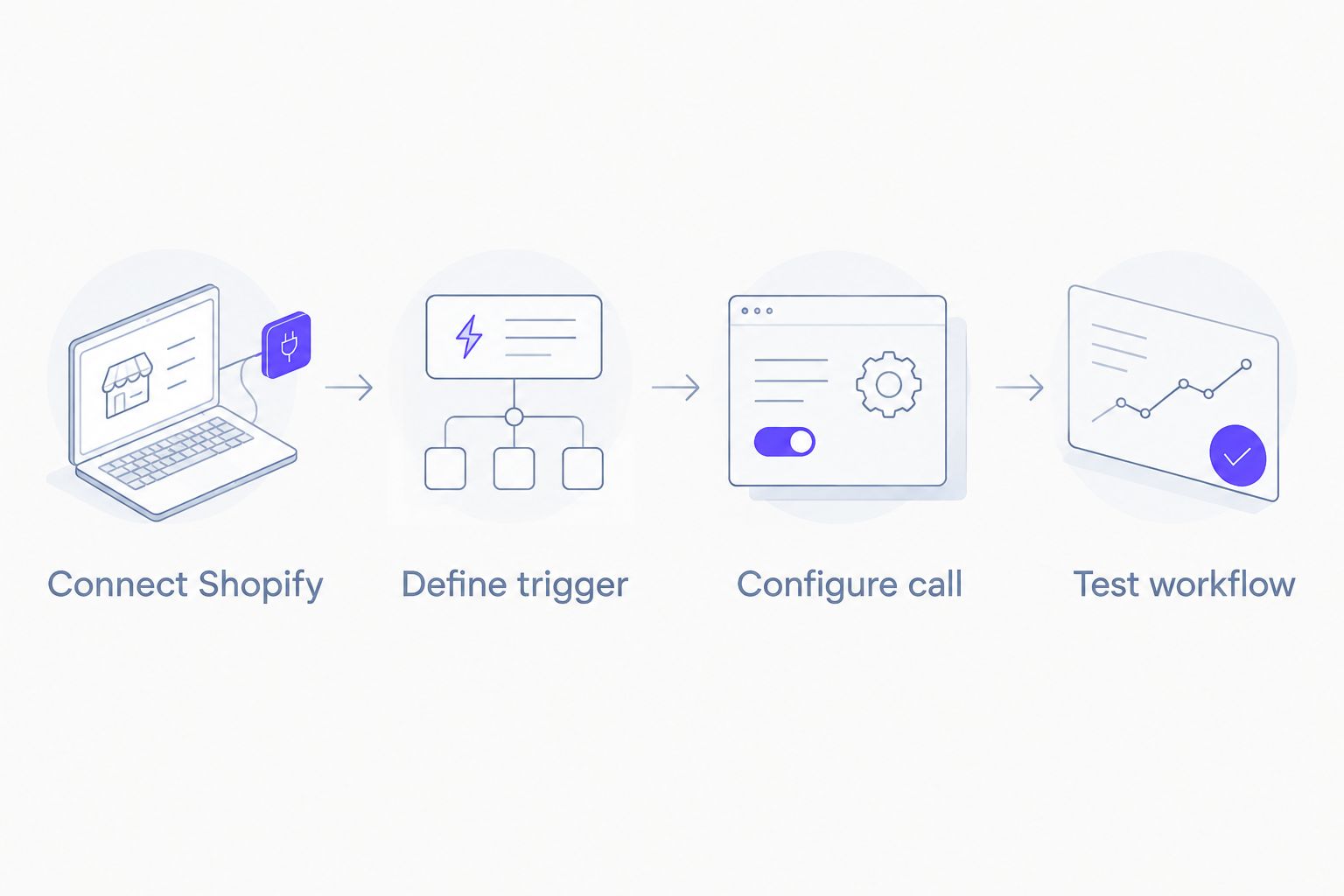
A clean launch depends on validating the trigger before activating customer calls.
Test workflow
- Start a Shopify checkout with a phone number you control and meet the workflow’s eligibility conditions.
- Leave the checkout without completing the order, then confirm that only one trigger source accepts the event.
- Answer the test call and check the opening, store context, and permitted responses.
- Request the approved checkout link by text and confirm that it returns to the intended checkout.
- Run another test in which the order is completed before the call. Confirm that the stop condition removes it from the workflow.
- Test an ineligible checkout, such as one without the required contact permission, and confirm that no call is placed.
Record each test as pass or fail. Do not activate live calls while the checkout link, stop condition, or eligibility filter remains unresolved.
Expected result: the eligible abandoned checkout receives one correct call, while completed and ineligible checkouts receive none.
Trigger calls from Klaviyo instead
Use Klaviyo when it already controls abandoned-cart segmentation or when your team needs its flow conditions to decide who enters the call workflow. The detailed connection process is covered in the guide to connect Ava AI to Klaviyo for abandoned cart calls.
In 2026, Shopify and Klaviyo are adjacent trigger options, not two triggers to activate for the same recovery journey.
Shopify checkout event
- Best for: Stores that want a direct abandoned-checkout workflow
- Pros: Fewer systems in the trigger path; easier to isolate during testing
- Cons: Less suitable when eligibility already depends on Klaviyo flow logic
Klaviyo flow event
- Best for: Stores that already segment recovery audiences in Klaviyo
- Pros: Keeps audience rules inside the existing flow; supports coordinated messaging logic
- Cons: Adds another connection to test; creates duplicate risk if the Shopify trigger stays active
To configure the Klaviyo variant:
- Connect the Shopify store to Klaviyo and confirm the abandoned-checkout event used by the existing flow.
- Add the voice-call action at the intended point in that flow.
- Map the phone number, checkout context, and approved contact status required by the call workflow.
- Disable the equivalent native Shopify trigger for the same audience.
- Repeat the eligible, completed-order, and ineligible tests before activation.
Expected result: Klaviyo sends one qualified event to the call workflow, and Shopify does not send a competing event for the same checkout.
Troubleshooting
The abandoned checkout does not trigger a call
Confirm that the checkout satisfies every eligibility rule and that the workflow is active. Then check whether the selected source is Shopify or Klaviyo. A flow listening for one event will not respond when the other system owns the trigger.
The shopper receives two calls
Two active triggers are usually sending the same abandonment into separate paths. Disable either the native Shopify trigger or the Klaviyo trigger, then repeat the test with a new checkout. Do not use a longer delay to hide the duplication; remove the extra source.
The call has no usable checkout context
Check the fields passed from Shopify or Klaviyo. The workflow needs the customer phone details and enough checkout context to explain the call. If a required field is empty at checkout, the voice workflow cannot repair it later.
The approved text link is wrong
Run the workflow with a fresh test checkout and inspect the destination sent by text. Confirm that the link comes from the current checkout event rather than static script copy. Stop live calls until the link returns the test shopper to the intended checkout.
A completed order still receives a call
Review the completed-order stop condition and the timing of its update. The recovery workflow must check current order status before placing the call. Re-test this path in 2026 by completing the checkout before the call step runs.
Customize your workflow
Once the core workflow passes testing, expand its scope carefully. You can align the call with existing email or text outreach, route unresolved questions into your support process, and use the same voice phone agent app for inbound order tracking, refunds, and customer support.
Keep one system responsible for eligibility. Shopify or Klaviyo should decide whether the call happens, while the voice workflow handles the conversation and approved follow-up. This separation makes failed calls easier to diagnose and prevents customers from entering overlapping recovery paths.
Ava AI combines outbound abandoned-cart calls with inbound phone support for Shopify store owners. Internal merchant data reports a 37x average for outbound abandoned-cart voice calls, but individual results vary. Treat that figure as a benchmark from internal data, not a promise for a specific store.
Start abandoned-cart calls
Try the app for 7 days, set it up in minutes, and pay zero commission on recovered revenue.
FAQ
How do automated abandoned-cart calls work on Shopify?
A qualifying Shopify or Klaviyo abandonment event sends the shopper’s checkout context into an outbound voice workflow. The agent calls the eligible phone number, discusses the checkout, and can send an approved text link back to it.
What is the best trigger for Shopify abandoned-cart calls?
Use the Shopify checkout event when you want a direct setup, and use Klaviyo when it already controls audience eligibility. Activate only one trigger for the same recovery journey.
How soon should an abandoned-cart call happen?
Set the delay around your existing recovery sequence and customer contact rules. Test the timing before launch so the call does not collide with another message or continue after an order is completed.
Can Ava AI send a checkout link during the call?
Yes. Ava AI can send an approved text link that returns the shopper to checkout when the workflow is configured to provide it.
Can the voice agent answer order and refund questions too?
Yes. The app supports customer support calls involving orders and refunds as well as outbound abandoned-cart recovery calls.
How do I prevent duplicate abandoned-cart calls?
Choose either Shopify or Klaviyo as the trigger source for each recovery journey. Disable the competing trigger and verify with a fresh test checkout before activation.
What should I test before activating customer calls?
Test an eligible abandonment, a completed order, an ineligible checkout, the call script, and the approved text link. The workflow should place one call only for the eligible abandonment.
Do abandoned-cart calls replace email recovery flows?
No. Voice calls can run alongside email or text outreach, but one system should control eligibility and timing to prevent overlapping messages.
One last thing
Run the completed-order test immediately before activation, even if every earlier test passed. It verifies the condition that protects paying customers from receiving a recovery call after they have already finished checkout. That single test is more valuable than adding another script branch in 2026.