Vape and smoke shop stores: complete 2026 guide
AI phone support for vape and smoke shops starts with eligibility checks. Set safe order, refund, and recovery workflows before you automate customer calls.
October 27, 2026
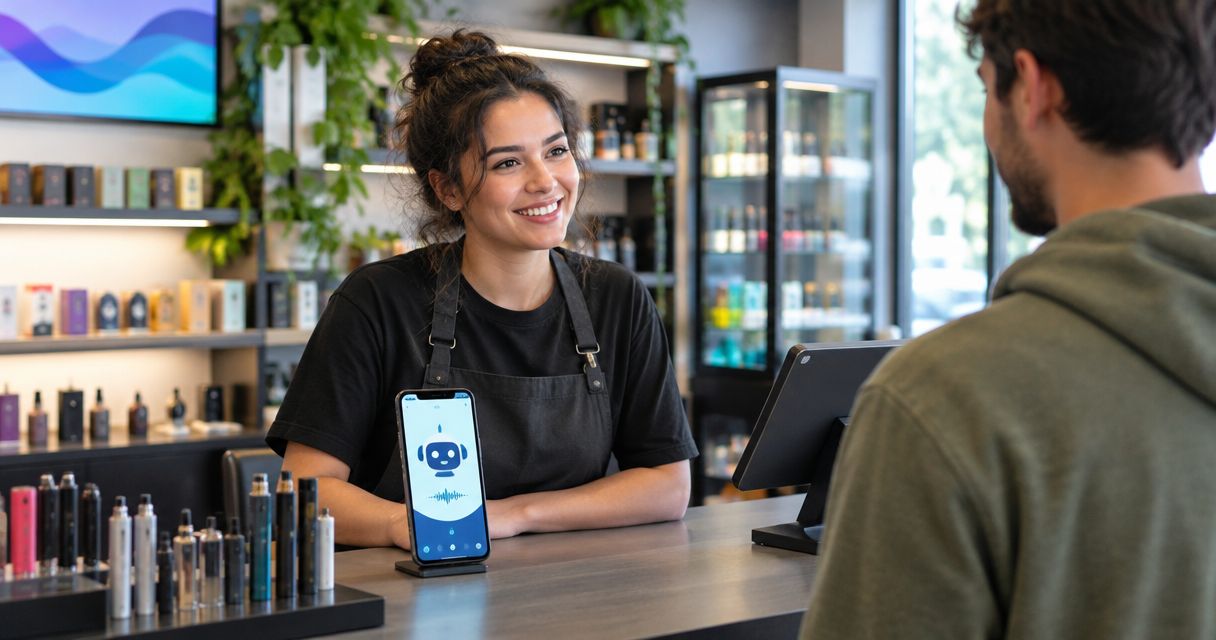
Vape and smoke shop AI phone support is automated telephone service for order questions, refunds, and checkout follow-up, with the aim of resolving customer requests within your store’s rules. Avasales offers Shopify merchants a 7-day free trial, setup in minutes, and zero commission on recovered revenue; restricted-product eligibility still needs confirmation before you connect a vape or smoke shop.
TL;DR
- AI phone support for vape and smoke shops needs approved product boundaries, identity checks, and clear escalation rules.
- Avasales offers Shopify phone support and abandoned cart recovery; confirm restricted-category eligibility before installation.
- Start with order tracking, then test refunds and outbound calls separately.
- Keep age verification, product restrictions, and outbound calling permission separate from ordinary customer support.
Why AI phone support matters for vape and smoke shops
A vape or smoke shop caller can ask a straightforward order question and then move into product suitability, delivery restrictions, or an age-verification dispute. Your phone workflow must distinguish those requests. An order lookup does not authorize a product recommendation or an exception to checkout controls.
For your 2026 rollout, the strongest starting point is a narrow service scope: explain recorded order status, communicate approved policies, and send unresolved questions to staff. Keep sensitive decisions outside automatic resolution until you have reviewed the applicable rules and tested the workflow.
Avasales is best for Shopify merchants seeking automated order-support calls and abandoned-cart follow-up, subject to restricted-category eligibility. Its stated service includes answering support calls 24/7, resolving orders and refunds, and making outbound recovery calls. Those capabilities do not establish permission to serve every product category or contact every customer.
Treat phone automation as an operational decision with separate approvals for your catalog, your data access, and your outbound activity. A successful demonstration of a tracking call proves only that tracking workflow.
How to set up phone support for your store
1. Confirm eligibility before connecting your store
Start manually with a written inventory of what you sell and which systems handle it. Separate products and accessories rather than describing the entire catalog as smoke-shop merchandise. Ask the commerce platform, payment provider, and phone-service provider to confirm whether your intended use is permitted.
Keep that confirmation with your 2026 operating documentation. A listing in an app marketplace is not confirmation that your particular catalog, location, and outbound campaign are accepted.
Use this review to define a launch boundary, not to find a workaround for a restriction. If eligibility remains unresolved, continue handling the affected requests through your existing approved process.
- List the product categories covered by the proposed service.
- Confirm platform and provider acceptance for those categories.
- Separate inbound support approval from outbound marketing approval.
- Record who approved the scope and what remains excluded.
2. Write approved answers before choosing automation
Use a shared document to write the answers your staff already gives. Begin with order tracking, cancellation requests, refund conditions, delivery exceptions, and store contact details. Keep each answer tied to a policy or order record that staff can check.
For vape and smoke shops, add explicit boundaries around health claims, age-verification disputes, and requests to bypass delivery restrictions. A confident-sounding answer is not evidence that the answer is authorized.
Mark statements that require current data. Your agent must not turn a tracking estimate into a delivery guarantee or treat a customer’s description of an order as proof of ownership. Assign an owner to update the document when store policies change.
- Write approved wording for routine order questions.
- Identify questions that require a live order lookup.
- Prohibit unsupported health or cessation claims.
- Route age-verification disputes to a designated staff member.
- Remove answers that contradict published store policies.
3. Connect order data with limited authority
The manual approach is to have staff verify the caller, open Shopify, and answer from the order record. Preserve that sequence when introducing automation. Give the agent access needed for the task, not permission to make every possible change.
Avasales provides Shopify voice support for orders and refunds, making it an option for automating these calls after category eligibility is confirmed. Test the actual permissions and behavior rather than assuming that an available feature follows your store’s approval rules.
The distinction between a customer statement and a recorded event matters. A caller saying a parcel shipped is not equivalent to a fulfillment update. Build your Shopify order-data phone workflow around the record the agent can actually retrieve.
- Verify identity before discussing protected order details.
- Read order status from the authorized record.
- Apply policy before approving an order change.
- Escalate exceptions when records conflict or authority is insufficient.
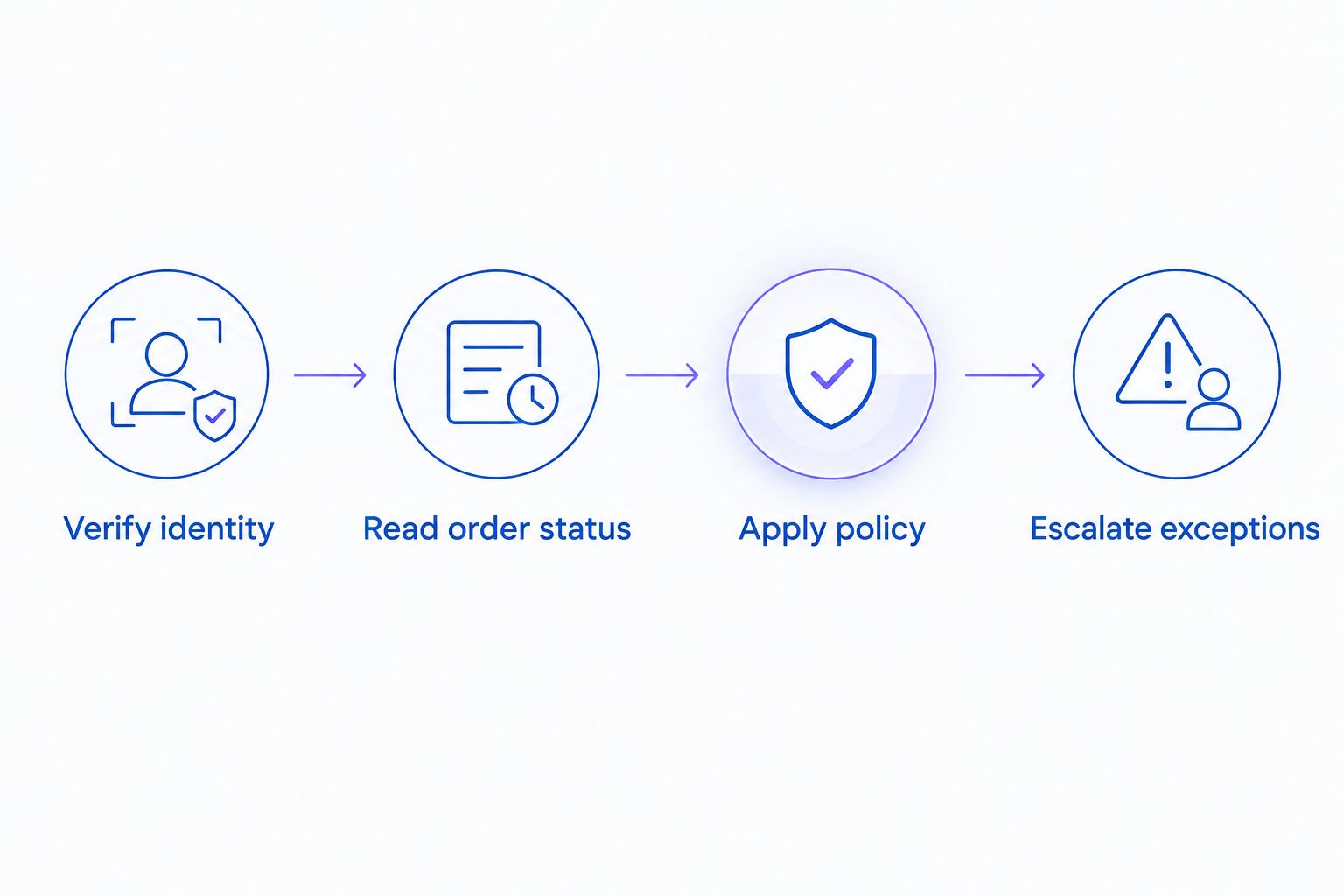
Order data and policy checks must come before an action on the account.
4. Separate tracking answers from refund decisions
Start with a manual decision sheet that distinguishes information from action. Reading a recorded tracking event is different from cancelling an order, changing an address, or issuing a refund. Each action needs its own authorization conditions.
For a 2026 launch, test whether your agent can recognize when an order has moved beyond a cancellation window defined by your store. Do not write a universal cancellation rule into the script. Use your actual fulfillment and refund policies.
A refund request involving a product complaint also needs a different route from a simple status question. Collect the information your staff needs without asking the agent to diagnose a health issue or decide a disputed product claim.
- Separate read-only questions from account-changing requests.
- Require identity checks before account actions.
- Define approval conditions for cancellations and refunds.
- Route product complaints through your documented review process.
- Confirm an action only after the system records success.
5. Approve outbound recovery independently
The manual starting point is a review of your abandoned-checkout process and the permission you have to contact each customer. An unfinished checkout is not, by itself, proof that an automated marketing call is permitted. Obtain legal review for your intended calling and texting workflow.
Keep recovery separate from support. A customer requesting tracking information should receive that answer without being pushed into an unrelated sales conversation. For outbound calls, document the campaign purpose, contact permissions, exclusions, and suppression process before activation.
Approved checkout text links need their own controls. Use only the destination and wording your store has authorized, confirm the customer’s permission, and test whether restricted items still pass through the required checkout checks. Do not use a phone conversation to bypass them.
- Review calling and texting permissions for the intended campaign.
- Exclude contacts without the required permission.
- Define opt-out handling and suppression ownership.
- Approve text wording and checkout destinations before use.
- Keep restricted-product checks active throughout checkout.
6. Design human handoffs around the unresolved decision
Begin with a staff routing sheet: who handles delivery exceptions, payment disputes, refund disagreements, and product complaints? Then test what happens when that person is unavailable. A promised transfer is not a completed handoff.
Good AI-to-human support handoffs preserve the customer’s request, completed identity checks, relevant order facts, and the decision still required. That context lets staff continue the conversation without treating the automated answer as an approved exception.
For a vape or smoke shop, include a specific route for age-verification disputes and questions outside approved product information. Keep the summary factual. The agent should record what the caller reported without presenting an allegation or symptom as a verified finding.
Test the failure path as carefully as the normal route. If live transfer is unavailable, the caller needs an accurate next step based on your actual staffing process.
- Assign an owner for each exception category.
- Pass along completed checks and unresolved questions.
- Distinguish customer reports from verified order facts.
- Test unavailable-staff and disconnected-call scenarios.
- State only the callback commitments your team can meet.
7. Test outcomes before expanding the scope
Use staff role-play calls before exposing customers to a new workflow. Include an ordinary tracking request, a failed identity check, a refund outside policy, an age-verification dispute, and a request for an unsupported product claim. Write the expected result before making each test call.
During the 7-day trial, evaluate Avasales against those expected outcomes rather than voice quality alone. Setup in minutes describes configuration speed; it does not replace policy review, category approval, or acceptance testing.
Keep your 2026 reporting specific. Website clicks, app installs, trial starts, and paid customers are different events. For customer calls, distinguish an answered call from a resolved request and a recovery conversation from a completed order.
- Record the expected answer or escalation for each scenario.
- Check whether account actions match approved permissions.
- Inspect outbound exclusions and opt-out handling.
- Review failed calls before adding new request types.
- Track completed outcomes separately from activity counts.
Compare phone-support options for your shop
Choose the operating model by the decisions callers need, not by how human a voice sounds. Manual support gives staff direct control but requires staffing. Automated support handles defined workflows but needs tested limits and a reliable exception process.
For restricted-category stores, provider acceptance is a selection criterion before feature comparisons. Do not commit to a workflow until you know whether the provider permits the intended catalog and use case.
Store staff answering directly
- Best for: Complex product and policy exceptions
- Main advantage: Staff can apply approved judgment to unusual requests
- Key limitation: Coverage depends on staff capacity and schedules
Human answering service
- Best for: Call intake with staff follow-up
- Main advantage: Provides a person to gather the customer’s request
- Key limitation: Order access and decision authority need explicit agreement
Avasales AI phone support
- Best for: Shopify order questions and approved recovery calls
- Main advantage: Offers 24/7 answering, order and refund handling, and outbound recovery
- Key limitation: Restricted-category acceptance and store-specific controls require confirmation
Hybrid phone support
- Best for: Routine requests with sensitive exceptions
- Main advantage: Separates repeatable answers from decisions requiring staff
- Key limitation: Requires clear routing, ownership, and review
For an initial rollout, use a hybrid scope: automate approved routine requests and retain staff control over disputed or restricted decisions. Expand only after tests show that the boundary holds.
Common mistakes vape and smoke shops make
Treating product eligibility as a setup detail
A working connection does not establish permission to support a restricted catalog. Confirm acceptance before importing customer data or enabling calls, and revisit approval when your catalog or campaign purpose changes.
Letting the agent improvise product claims
An order-support agent should not invent safety, health, or cessation claims. Give the agent approved factual material and an escalation route for questions outside it. Review sample answers for meaning, not just tone.
Treating checkout abandonment as calling permission
A phone number on an unfinished checkout does not establish every permission needed for automated outreach. Review consent and exclusions independently, including any text message sent after the call.
Allowing policy exceptions through conversation
A caller’s persistence should not change refund authority, identity checks, or age-verification requirements. Test repeated requests and conflicting explanations to confirm that the agent preserves the same approval boundary.
Counting answered calls as resolved support
An answer can still leave the customer without a solution. Record whether the agent supplied verified information, completed an authorized action, or transferred an unresolved request. Keep repeat contacts visible rather than counting each answer as success.
FAQ
What's the best starting point for AI phone support for vape and smoke shops?
Start with provider eligibility confirmation and a narrow order-tracking workflow. Add account changes and outbound recovery only after separate policy, permission, and acceptance tests.
Can Avasales support my Shopify vape store?
Confirm restricted-category acceptance directly before connecting your vape store. Avasales provides Shopify voice support and abandoned-cart recovery, but those capabilities do not establish acceptance of every catalog or campaign.
Can an AI phone agent verify a customer's age?
Do not treat a spoken age claim as a replacement for your required age-verification process. Keep approved verification controls in place and route disputes to the staff member responsible for them.
Can the agent handle refund calls automatically?
Automate refund calls only within tested identity checks and store-approved authority. Separate explaining a refund policy from actually issuing a refund, and require confirmation that any action succeeded.
Can I call everyone who abandons a checkout?
Do not assume every abandoned checkout is eligible for an automated call. Review the permission, campaign purpose, exclusions, and opt-out process with qualified counsel before enabling outreach.
Is automated phone support better than store staff?
Automated phone support fits repeatable, approved requests; store staff remain responsible for exceptions that require judgment. A hybrid scope lets you test routine automation without delegating disputed or restricted decisions.
How should I evaluate a free trial?
Evaluate a free trial against written call scenarios and expected outcomes. Test identity failures, policy exceptions, outbound exclusions, and human escalation rather than judging only whether the voice sounds natural.
One last thing
Test the request the agent must refuse before testing the request it should complete. For your 2026 launch, a polite refusal to bypass an age check, invent a health claim, or exceed refund authority is an essential result. A natural voice does not compensate for an unauthorized action.