.png)
Ava AI Shopify Flow Integration: Set Up Call Triggers (2026)
Connect Ava AI to Shopify Flow in 2026: trigger outbound calls on cart abandonment or refunds, with setup steps, conditions, and troubleshooting.
September 23, 2026

Shopify Flow can trigger an Ava AI phone call the moment a cart goes cold, a refund gets approved, or an order sits unfulfilled too long, instead of a support agent working a spreadsheet of stalled orders by hand. This guide sets up that trigger end to end, from the Flow trigger block to the Ava AI call action, so calls fire automatically off real store events.
TL;DR
- Shopify Flow triggers like Cart abandoned, Refund created, and Order created can launch an Ava AI outbound call automatically.
- Setup takes minutes: create a workflow, pick a trigger, add the Ava AI call action, turn it on.
- Ava AI's internal data puts average returns on outbound cart-recovery calls at 37x, though individual results vary by store.
- A 7-day free trial and zero commission on recovered revenue apply once Ava AI is connected to your store.
- Flow only fires on events after a workflow is turned on, so past abandoned carts will not get called retroactively.
Why this matters
Support teams already spend hours a week calling customers about abandoned carts, refund approvals, or stalled orders. That work is repetitive, and it is exactly what Shopify Flow's trigger-and-action model was built to remove.
As of 2026, Ava AI plugs into Flow as an action, so the phone call becomes a downstream event of something that already happens in your store: a cart sitting untouched for an hour, a refund getting issued, an order not shipping on schedule. No agent has to notice the event and dial manually.
Ava AI's internal data puts the average return on outbound abandoned-cart calls at 37x, though individual results vary by store, catalog, and how the workflow is configured. Setup runs in minutes once Ava AI's AI voice agent is connected, the trial runs 7 days free, and there is zero commission on whatever revenue the calls recover.
Before you start
- A live Ava AI connection to your Shopify store, with outbound calling turned on in the Ava AI dashboard.
- Admin access to Shopify Flow (Apps and sales channels > Flow in your Shopify admin), with permission to create and publish workflows. As of 2026, Flow access has expanded across Shopify plans, so check your account rather than assuming Plus is required.
- The gotcha: Flow only fires on events that happen after a workflow is turned on. Carts that went cold last week will not trigger a call retroactively, and Shopify's native Cart abandoned trigger itself waits roughly an hour after the shopper's last checkout activity before it fires. Treat that as the trigger's built-in behavior, not a delay in Ava AI.
Set up your Shopify Flow trigger
- In Shopify admin, go to Apps and sales channels, open Flow, and click Create workflow.
- Click Select trigger and search for the event you want to act on: Cart abandoned for recovery calls, Refund created for refund confirmation calls, or Order created for order confirmation calls.
- Select the trigger. It appears as the first block on the workflow canvas.
Expected result: the canvas shows your chosen trigger at the top, waiting for a condition or action underneath it.
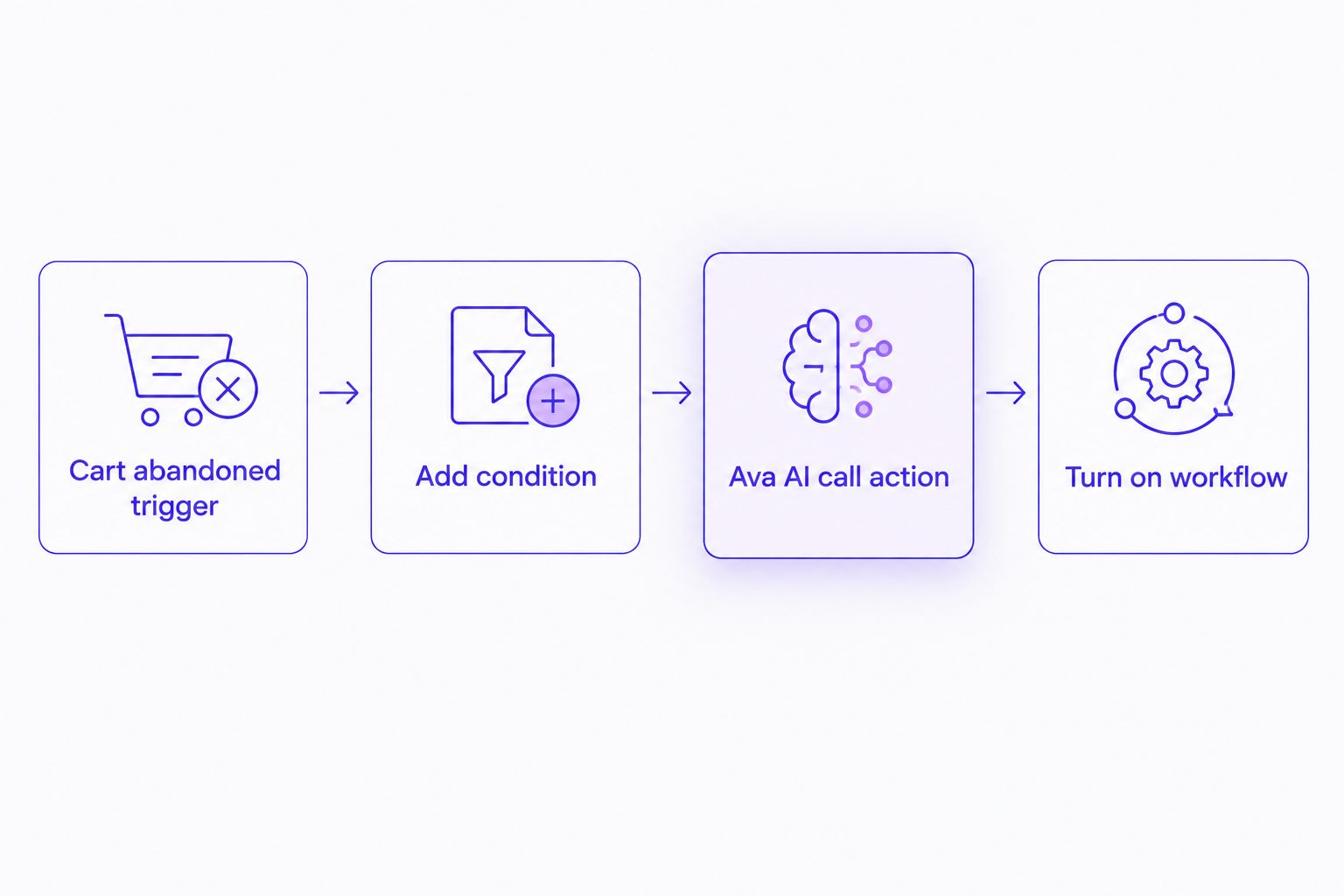
The workflow runs trigger, condition, action, then goes live with one toggle.
Add conditions to filter the right orders
Conditions keep Ava AI from calling every cart or refund, only the ones worth a call.
- Click the + icon beneath the trigger to add a condition.
- Choose a field to filter on, for example Cart total greater than a set amount, or Customer accepts marketing equals true.
- Set the comparison operator and value, then save the condition block.
Expected result: the workflow branches, so only carts or refunds that pass your condition move on to the Ava AI action.
Add the Ava AI action
- Click + below the condition block to add an action.
- Search Ava AI in the action list and select the call action.
- Map the customer's phone number field and the order or cart ID field from the trigger data, so Ava AI's phone agent knows who to call and what the call is about.
- Click Turn on workflow in the top right corner.
Expected result: the workflow status switches to On, and Ava AI queues a call shortly after the next matching event, visible in the Ava AI dashboard's call log.
Trigger calls on refunds instead of carts
The same workflow shape handles refund confirmation calls. Swap the trigger and skip the cart-specific condition.
- Create a second workflow and select Refund created as the trigger.
- Add a condition if you only want calls above a certain refund amount.
- Add the Ava AI action exactly as above, mapping the customer phone number and the refund or order ID.
This mirrors the setup covered in Shopify refunds to automated phone calls workflow, and it runs as a separate, independent workflow from your cart-recovery one.
Troubleshooting
- Workflow shows On but no calls go out. Confirm outbound calling is enabled in the Ava AI dashboard, not just in the Flow workflow. A Flow trigger with no active Ava AI calling permission does nothing.
- Calls fire twice for the same order. Check for two active workflows pointing at the same trigger, a common leftover from testing a duplicate workflow before deleting the original.
- Calls go out later than expected. Remember Shopify's native Cart abandoned trigger already waits about an hour after the last checkout activity. Add a Wait action in Flow only if you want additional delay on top of that.
- Condition never matches. Currency and number fields in Flow conditions are strict about format. Re-enter the comparison value if a numeric condition never triggers.
- Wrong phone number gets called. Re-check the field mapping in the Ava AI action, especially if your store collects phone numbers at checkout under a custom field rather than the default customer phone field.
Customize your workflow
Once the base cart-recovery or refund-call workflow is live, layer in more triggers. Order fulfillment delays, subscription renewal failures, or urgent support tickets can all feed the same Ava AI action with a different script.
Ava AI connects to other tools in the same trigger-and-action pattern. Connect Ava AI to Klaviyo for abandoned cart calls if your recovery flow already lives in Klaviyo rather than native Shopify Flow. Both approaches reach the same result: calls that fire off real customer behavior instead of a fixed schedule.
Start calling stalled carts today
7-day free trial, setup in minutes, zero commission on recovered revenue.
FAQ
What is Shopify Flow?
Shopify Flow is Shopify's built-in automation tool that runs actions when a store event happens, like a cart going abandoned or a refund being issued. It connects to apps like Ava AI so those events can trigger something outside Shopify, such as an outbound phone call.
Can Ava AI call customers without Shopify Flow?
Yes, Ava AI runs outbound abandoned-cart calls on its own schedule inside the Ava AI dashboard. Shopify Flow adds finer control over exactly which events and conditions trigger a call.
Does the Ava AI Shopify Flow integration require Shopify Plus?
No, Flow access has expanded across Shopify plans as of 2026, so check your current plan's app access rather than assuming Plus is required.
How soon after a cart is abandoned does Ava AI call?
Shopify's native Cart abandoned trigger fires roughly an hour after the shopper's last checkout activity, and Ava AI queues the call shortly after. Add a Wait step in Flow if you want more delay before the call goes out.
Can Shopify Flow trigger Ava AI calls for refunds?
Yes, select Refund created as the trigger instead of Cart abandoned, then add the Ava AI call action the same way. This runs as a separate workflow from cart recovery.
Is Shopify Flow free to use in 2026?
Shopify Flow itself does not carry a separate fee inside Shopify, but availability depends on your Shopify plan, so confirm current access on your account before building a workflow around it.
What happens if a customer does not answer the Ava AI call?
The call outcome logs in the Ava AI dashboard so support teams can follow up manually if needed. Check the dashboard's call log rather than assuming a missed call retries automatically.
Can conditions skip certain customers from getting called?
Yes, add a condition block in Flow, such as cart total or marketing consent, so only carts or orders that meet your criteria pass through to the Ava AI action.
One last thing
The condition block is the part most stores skip, and in 2026 it's still the one that keeps this workflow from feeling like spam. A $12 abandoned cart and a $340 abandoned cart do not deserve the same phone call treatment. Filter by cart total before the Ava AI action fires, and the calls that do go out land better with customers who were actually close to buying.