Do AI phone agents record calls for quality assurance?
AI phone agents record calls for quality assurance when supported and enabled. Compare audio, transcripts, consent, retention, and Shopify QA checks.
November 6, 2026

Yes, AI phone agents can record calls for quality assurance when the platform supports recording and your configuration enables it. Recording is not a universal feature, and audio, transcripts, and call summaries are different records. Before enabling recording, confirm the applicable consent requirements, who can access the files, and how deletion works.
TL;DR
- AI phone agents record calls for quality assurance when recording is supported and enabled; verify settings before launch.
- Audio preserves delivery; transcripts support text review; action logs show what the system actually changed.
- Avasales offers Shopify AI phone support with a 7-day free trial, setup in minutes, and zero recovered-revenue commission.
- Confirm consent, retention, access, and deletion before collecting customer call recordings.
Do AI phone agents record calls for quality assurance?
Yes, but evaluate the recording feature separately from the agent's ability to answer calls. Your 2026 assessment should distinguish the records below and include a review of AI voice agent data security and compliance.
Audio
- Best for: Reviewing delivery
- What it helps you assess: Interruptions, pacing, pronunciation, and what was audible
- Limitation: Requires listening and controls for sensitive spoken information
Transcript
- Best for: Reviewing wording
- What it helps you assess: Answers, policy explanations, and searchable conversation text
- Limitation: Transcription errors can change the apparent meaning
Summary
- Best for: Reviewing context
- What it helps you assess: The stated reason for the call and its reported outcome
- Limitation: Omits details and is not a substitute for the conversation
Action log
- Best for: Reviewing execution
- What it helps you assess: Whether a connected system recorded the intended action
- Limitation: Does not explain how the conversation sounded
A recording shows what was said; an action log helps establish what was done. For a Shopify refund call, review the explanation alongside the order record. A confident statement that a refund succeeded is not proof that the refund was processed.
Treat these records as complementary evidence, not interchangeable features. Ask the provider to demonstrate each record you need instead of accepting a general description of call analytics.
Why this matters
Phone quality assurance needs to answer a practical question: did the customer receive accurate help and the correct outcome? A pleasant conversation can still contain an incorrect delivery promise, an unauthorized refund commitment, or an unresolved request.
Recordings give reviewers access to the conversation rather than only a reported result. They also create another place where customer information is stored, so collection needs a defined purpose and clear ownership.
For your 2026 Shopify support review, prioritize calls where mistakes change the customer's next action. Order tracking, cancellations, refunds, and checkout recovery each need different checks. A single satisfaction label cannot establish whether every workflow worked correctly.
Audio recordings: best for reviewing the conversation
Audio is the strongest review format when you need to hear interruptions, unclear speech, or the way an agent handled a frustrated caller. It preserves details that written records do not capture, including pauses and overlapping speech.
The trade-off is review effort and exposure of spoken customer information. Decide who needs playback access and what questions a reviewer must answer before collecting recordings simply because the setting exists.
For order tracking, listen for whether the agent distinguished an estimated delivery date from a confirmed event. For refunds, check whether the agent explained the approved next step without promising an outcome outside store policy.
Choose audio review when delivery affects the diagnosis. Do not treat a natural-sounding response as evidence that the answer was accurate.
Transcripts: best for reviewing wording
Transcripts let you inspect policy language and search for recurring questions without replaying an entire conversation. They are useful for checking whether an agent explained a return condition or asked for information needed to locate an order.
Their limitation is accuracy. Names, addresses, product terms, and overlapping speech can be transcribed incorrectly, so consequential findings need verification against the available source records.
A transcript that appears to show an incorrect order reference should trigger investigation, not an immediate conclusion about the agent. Compare the text with audio when available and check the underlying order details.
Use transcripts to locate issues, then verify the evidence behind each finding. Keep summaries separate because a summary is a condensed interpretation, not a word-for-word record.
Action logs: best for checking execution
An action log is useful when the agent does more than answer questions. If a call involves a refund, cancellation, or another store action, the review needs evidence from the system responsible for that action.
The limitation is conversational context. A completed action does not establish whether the customer requested it clearly or whether the agent explained it correctly.
For a refund review, connect the request, the applicable policy, the attempted action, and the recorded result. If the records disagree, keep the outcome unresolved until someone checks the discrepancy.
Evaluate conversation quality and execution accuracy separately. Combining them into a single pass result hides the difference between a wrong explanation and a failed action.
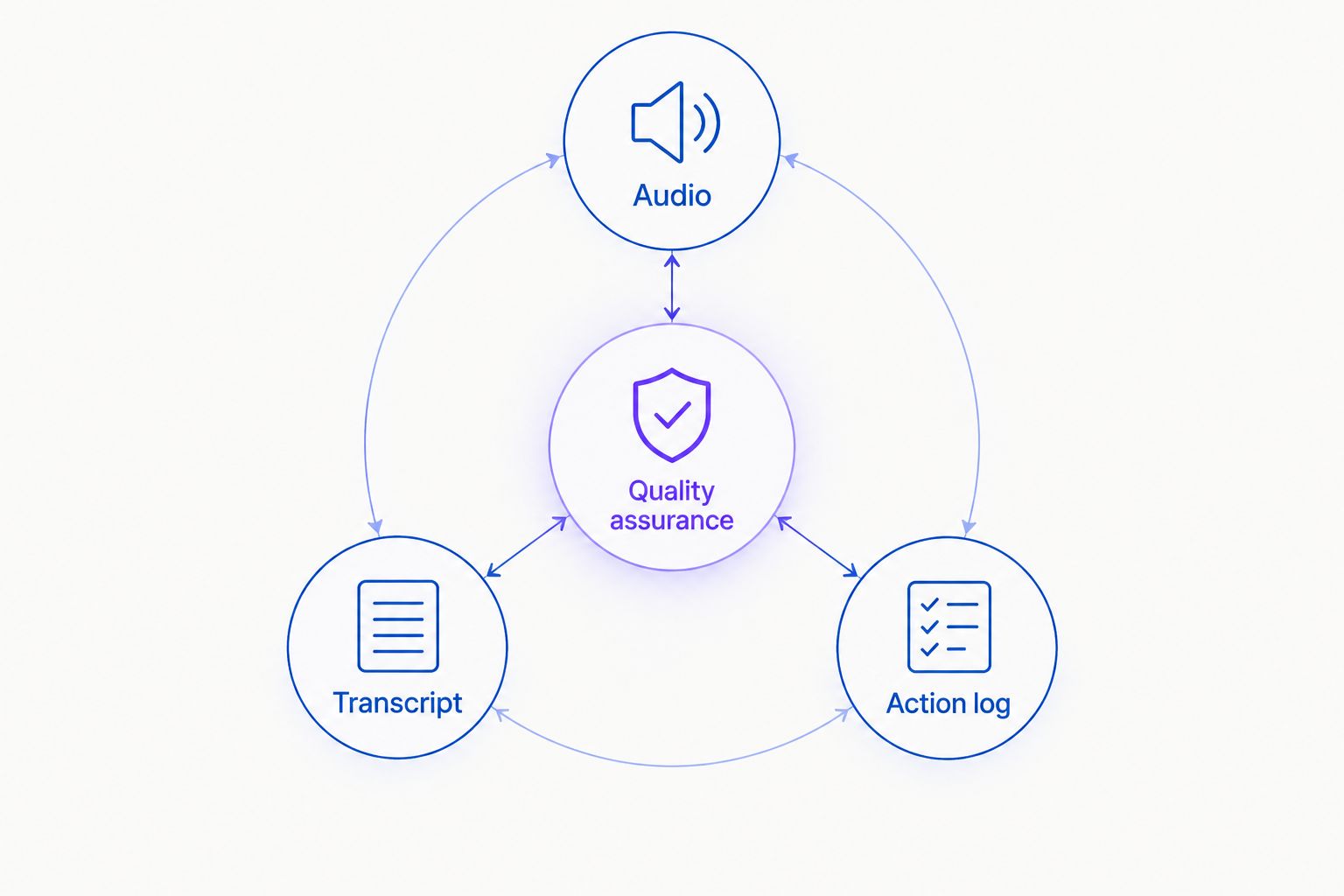
Review what the agent said alongside what the store system recorded.
Why call-recording practices vary
Recording behavior depends on the provider, your settings, and the rules governing the call. Establish these requirements before comparing platforms:
- Feature support: Confirm whether the provider stores audio, text, summaries, or a combination. Ask to see the records produced by a test call.
- Call direction: Check inbound support and outbound recovery separately. A demonstrated inbound recording does not establish outbound behavior.
- Consent requirements: Have qualified counsel identify the disclosure and consent requirements that apply to your callers and operation.
- Retention settings: Establish how long each record remains available and whether deletion covers associated text and exports.
- Access controls: Identify who can play, download, share, or delete records. Require access that matches each person's responsibilities.
- Connected systems: Determine whether records or summaries are copied into support tools, and assign responsibility for those copies.
For 2026 procurement, request written answers and a demonstration using test information. A feature label alone does not tell you whether recordings start automatically, survive account closure, or remain in another system after deletion.
How do you set up a useful call-quality review?
Start with the decisions a reviewer must make, then collect the evidence needed to make them. This keeps the review focused on customer outcomes rather than the volume of stored calls.
- Define success. Write an acceptance rule for each workflow. An order-tracking answer must match the available order information; a refund action must follow the approved policy.
- Confirm recording behavior. Place test calls and inspect the resulting records. Check what happens when recording is disabled, when a call ends early, and when a transfer occurs.
- Review disclosure. Approve the opening language and the process for callers who decline recording. Confirm actual behavior rather than relying only on a script.
- Match the evidence. Compare the conversation with the relevant order record or action result. Identify contradictions before marking a call resolved.
- Record the finding. Classify the issue as an answer error, policy error, execution failure, or delivery problem. Name the correction and its owner.
- Retest the correction. Repeat the affected scenario after changing instructions or workflow settings. Keep the review open until the corrected behavior is demonstrated.
Use fictional customer details for these tests. Do not enter real payment credentials or unnecessary personal information to check whether a recording feature works.
What should your quality scorecard check?
A useful scorecard separates accuracy, authorization, and delivery. Define pass conditions before reviewing calls so reviewers do not substitute personal preferences for store requirements.
Order accuracy
- Pass condition: The answer matches the relevant order information
- Evidence to inspect: Conversation and order record
Policy accuracy
- Pass condition: The explanation matches the approved store policy
- Evidence to inspect: Conversation and policy version
Authorization
- Pass condition: The requested action follows your verification procedure
- Evidence to inspect: Conversation and workflow record
Execution
- Pass condition: The intended action has a confirmed result
- Evidence to inspect: Action log and store record
Communication
- Pass condition: The customer receives a clear explanation without unsupported promises
- Evidence to inspect: Audio or transcript
Escalation
- Pass condition: Unresolved requests follow the defined escalation process
- Evidence to inspect: Conversation and escalation record
Keep serious errors visible. An unauthorized action should not disappear inside a favorable average score for tone and politeness.
Your 2026 scorecard should also distinguish resolved calls from calls that merely ended. A caller hanging up does not establish that the request was completed, and a summary marked successful still needs supporting evidence.
Where Avasales fits for Shopify merchants
Avasales is best for Shopify merchants seeking AI phone support and outbound abandoned-cart recovery in the same app. Its stated scope includes answering customer support calls 24/7, resolving orders and refunds, and making outbound recovery calls.
The Avasales offer includes a 7-day free trial, setup in minutes, and zero commission on recovered revenue. Use the trial to test your store's actual support scenarios, with recording requirements included in the acceptance checklist.
For Avasales AI phone support, confirm audio availability, transcript access, retention, deletion, and permissions directly before treating the app as a recording-based QA system. The stated support and recovery functions do not establish those recording controls.
That distinction is the selection limit: the app's Shopify use case fits the workflows above, but recording suitability requires its own verification. Do not approve a vendor for a mandatory recording requirement until the relevant behavior is demonstrated.
Can you review quality without keeping audio recordings?
Yes, you can review quality through transcripts, action records, and controlled test calls, provided those records are available. The limitation is that text and execution records cannot establish exactly how a live conversation sounded.
Choose evidence according to the question. An action record can help verify a refund result; it cannot show whether the agent repeatedly interrupted the customer.
Does permission to record also permit model training?
Do not treat recording permission as permission for every later use. Ask the provider to explain whether stored audio or text is used for service improvement, model training, or other purposes, and have counsel review the applicable terms.
Separate operational review from secondary use in your approval process. A decision to keep a call for a support investigation should not silently decide unrelated data-use questions.
FAQ
Do all AI phone agents record customer calls automatically?
No, automatic call recording is not a universal feature. Confirm whether your provider supports recording, whether it is enabled, and which inbound and outbound calls it covers.
Is a call transcript the same as a recording?
No, a transcript is a text representation of speech, while an audio recording preserves the sound. Transcripts can contain recognition errors and do not capture every delivery detail.
Can I use call recordings to check Shopify refund accuracy?
Use the recording to review the customer's request and the agent's explanation, then check the refund result in the store record. The conversation alone does not prove that the refund was processed.
Do I need customer consent before recording an AI support call?
The applicable consent requirements depend on the laws governing the call. Have qualified counsel approve your disclosure and consent process before enabling recording.
How long should my store keep customer call recordings?
Set retention according to your documented review purpose and applicable obligations. Confirm deletion behavior for audio, transcripts, summaries, exports, and copies in connected tools.
Does answering calls around the clock mean an agent records them?
No, answering availability and recording capability are separate features. Verify recording support and settings independently of the agent's operating hours.
What should I ask a phone-agent provider about recording in 2026?
Ask the provider to demonstrate recording settings, access controls, retention, deletion, and behavior when a caller declines recording. Request separate confirmation for inbound support and outbound calls.
One last thing
Test deletion as carefully as playback. Create a test call, inspect every record it produces, delete it through the documented process, and check connected tools for remaining copies.
A recording workflow is not fully assessed when you can hear a conversation. Your review also needs to establish who can access it, what it proves, and how your store stops keeping it.